
How Vandro works
Make an hour in the city your own.
Start with the place you're in, the things you want to know and the time you have. See the walk before you choose it, then take it at your own pace.
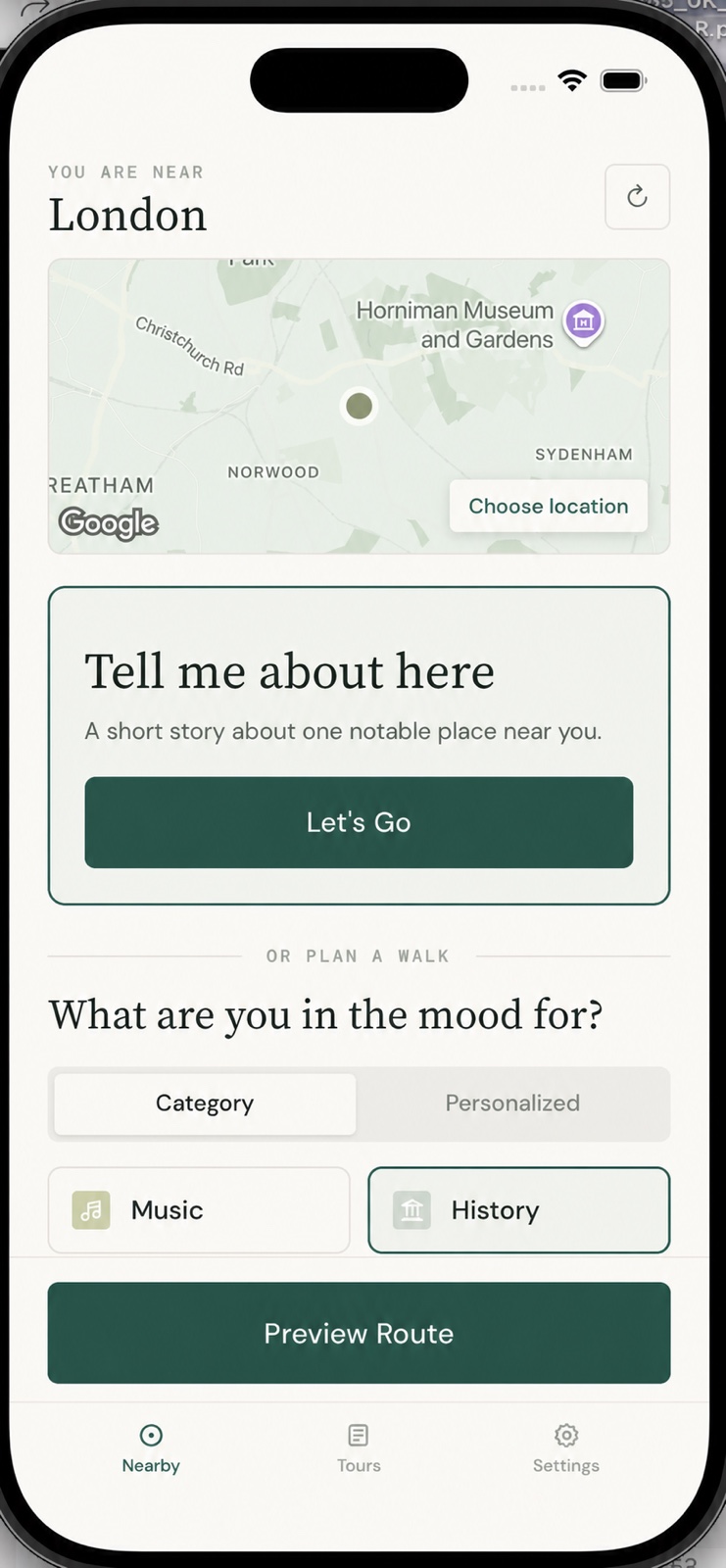
Choose a starting point
Start here—or choose where you'll be.
Use your current location, or search for the neighbourhood, landmark or address where you want the walk to begin.
If you would rather not share your location, choose a place manually instead.
Make it personal
Say what you're curious about.
Choose history, architecture, music or crime, or let your saved interests shape the walk. Then choose how long you have, whether you want a loop or one-way route, and whether you would rather listen or read.
Only have a few minutes? Tell me about here gives you one nearby place and a short story instead.
Preview for free
See your route before you set off.
Check the stops, why they fit, the approximate distance and duration, and the mapped route before the complete stories are created.
If it does not look right, change the plan first.
Choose when you're ready
Continue when the walk feels right.
You can look around and preview the route before you pay. When you want the complete walk, sign in and use a Destination Pass for one place or Explorer across supported destinations.
The App Store shows the current price and purchase terms before you confirm.
Destination Pass
Seven days of access in the selected destination.
Explorer
Ongoing access through an Apple subscription.
Start walking
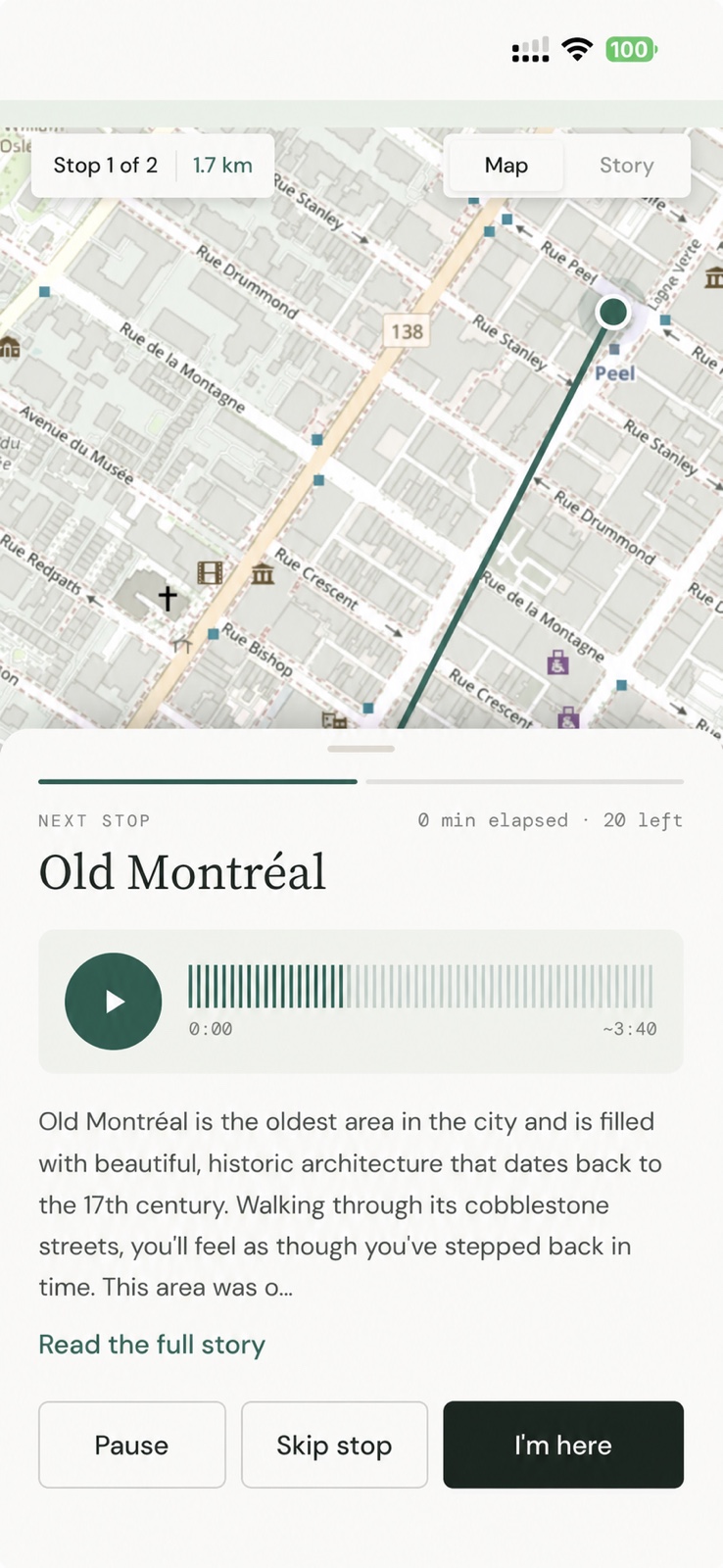
Walk, listen and take your time.
Use Map view to follow the route and Story view to listen or read at each stop. Pause for coffee, skip somewhere or open the details whenever you want.
Vandro shows a semi-guided walking route, not turn-by-turn directions or live rerouting. Follow official signs and the conditions around you.
Before you head out
Keep the stories that stay with you.
Save stories from Tell me about here to your Vandro library and return to them after the trip. You currently need a data connection to create and use Vandro walks and stories.
Your walk, your pace
What would you like to notice next?
Begin with the place you're in and the time you have.